Today’s sharepiece is progress rendering calendar cells for each month in the right places. Still missing the Word Counting Calendar data! That’s next!
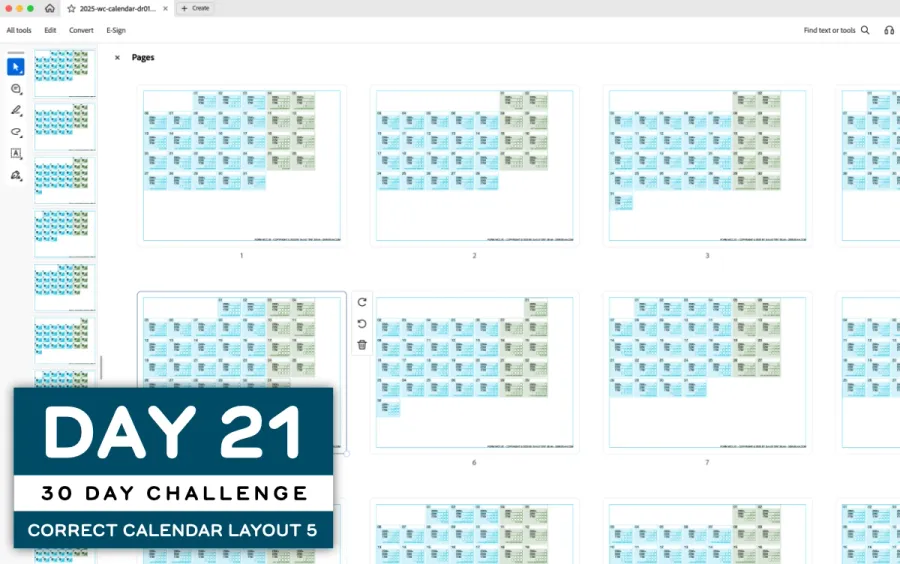

I worked on drawing actual calendar data in the correct layout. This extended the cell drawing code from Build Day 19 by using the Word Counting Calendar code I started in 2023.
This is the first time that all 12 months of a calendar year are being drawn, so it’s a major milestone! Here’s an example render of the December 2025 Calendar:
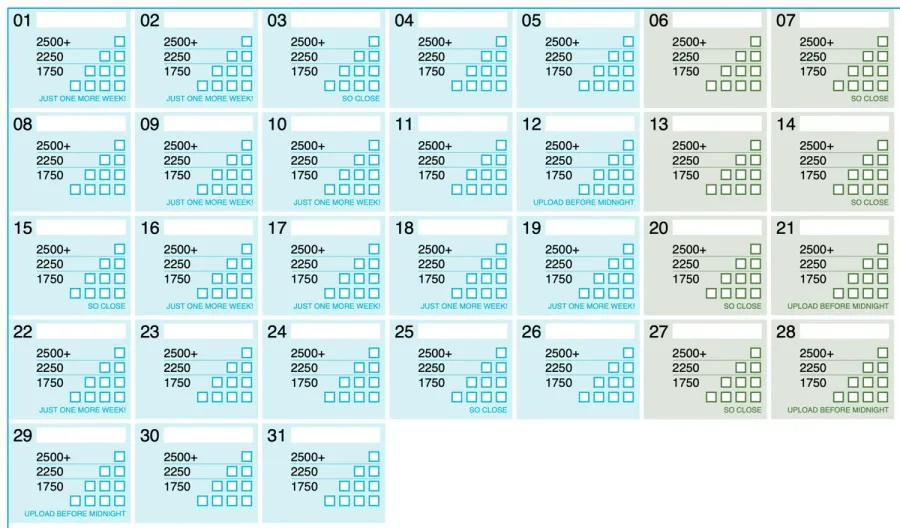
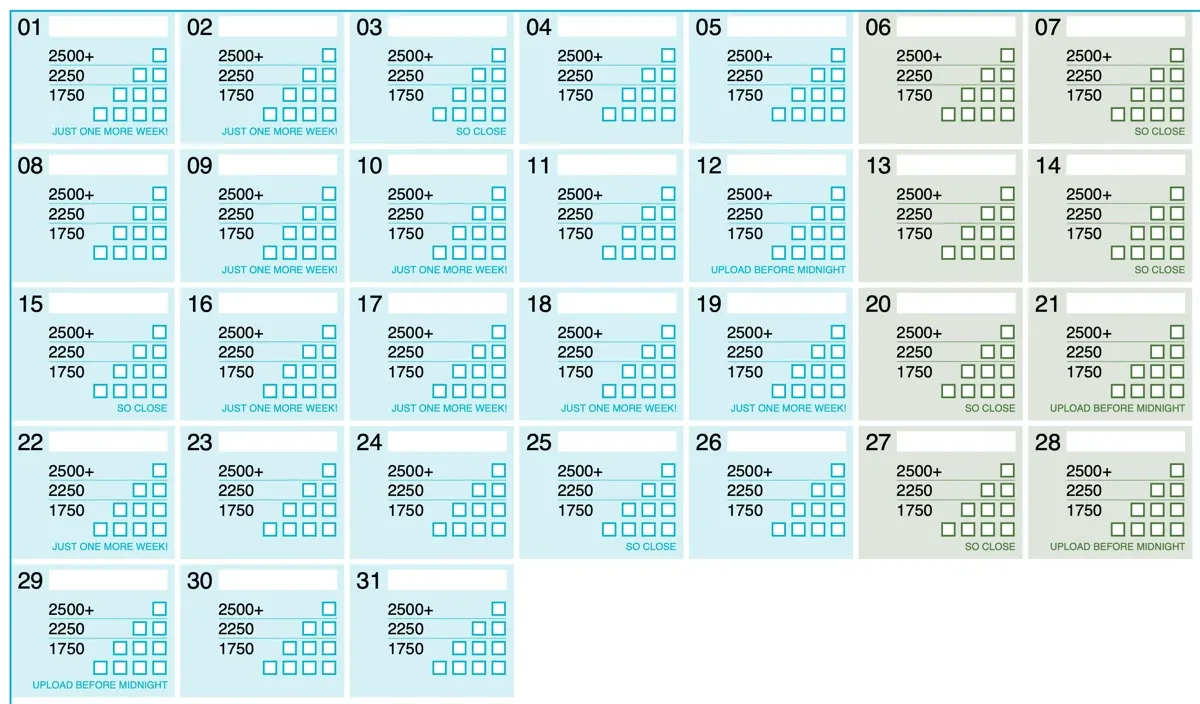
For the very curious, you can download the 12-month draft PDF below. Be warned, though, that it isn’t the complete calendar yet with word calculations and correct start/end data caps.
There was actually a bug in my week calculation that only showed up when the last week of the year in December has an ISO week number for the next year. Because I was basing the number of weeks assuming a monotonicaly increasing week number, the week count would become negative. I found some ancient Javascript code on StackOverflow to calculate it correctly, adapted it to use the Temporal API, then used Claude Code to fix the typo I’d added to it. SHAMELESS SCRIPT KITTY AM I! But as Mikael in the DS|CAFE Computer Science Club said:
Well, if it works…
Yeah, that’s right! Moving onward!
BUILD CHALLENGE COMMENTARY
Today wasn’t a good day, and I got started on this code rather late to keep my commitment. While I was diagnosing my sudden lack of motivation, I realized that I’d broken an important personal rule:
Don’t get stuck on one project goal for more than two, three weeks at most.
Previously, I had tried to apply this rule to contract work more consistently. After three weeks of working on the same project I go a little stir-crazy. This is particularly the case when there is no communication about the work itself; as a solo freelancer, I often have to talk to myself because there is no chatty group of co-developers to run things by. Also, there’s no one to set limits and watch out for burnout.
Now that I know that this might be happening, I can make some adjustments. I’m also learning that doing 15-minute dailiesThis is committing to doing 15 minutes of work for the day with the promise of not having to do more than that. This works for me because I always keep going for longer unless I’m really sick. See Fifteen Minute Blocks for more context. is enough to get me started, and the lethargy/demotivation dies off because my analytical problem-solving brain comes to the forefront of my consciousness.
2025 Building Challenge Posts
Making an URSYS App Example
Adding Typescript support to Eleventy
Review of Old Design Work
Improving my Eleventy Atom Feeds
Managing a Productivity Crash
Activity Bingo Board: Layout with Affinity Designer
ETP 5885 Notebook Press Run Prep
Activity Bingo Board Revisions
ETP 5885 Notebook Press Tour
A Silly Pass at Logo Design
Unprofessional Business Cards
Word Counting Calendar PDF Quickie Reuse
Word Counting Calendar PDF Now Available!
Word Counting Calendar Preparing to Code
Word Counting Calendar Simple Beginnings
Articulating Friendship
First skip day due to day trip to Concord, etc.
Making a PDF-LIB Reference
Word Counting Calendar Drawing Blocks
Minimum Progress Despite Nausea
Word Counting Calendar Drawing Blocks II
Writing A Mythical Magical Adventure Cat Primer
Word Counting Calendar Drawing Days
Word Counting Calendar Drawing Spaces
A Restorative Visit to the North Shore
Word Counting Calendar: Alpha Release!
ETP 5885 Notebook Production Update!
Personal Cards Revisited
11/21 - Visiting an Old Friend in Beverly, MA
Experimental Collaboration
Short Productive Sprint Day
Thanksgiving Reset Break
ETP 5885 Notebook back on Amazon!
ETP 365 Day Journal Updated for 2026!
Making a Freelance Services Page
In the case of my 30-Day Build Challenge, I had passed the three-week mark a couple of weeks ago, and I’m now in week 5. I’ve been allowing myself skip days and switch-up the projects so it’s maybe been fine, but it has been very quiet on the communication front. I like sharing progress in the DS|CAFE Discord and getting these blog posts out onto the couple of federated networks I’ve started using, but it’s one way and so I am facing the same degradation of performance.
It’s always a difficult switch for me, moving from “chatty camaraderie-seeking person” to “technical architect and builder” mode.
BONUS ACHIEVEMENTS
Today I learned that I can select a bunch of PDF files in the Finder and use the Combine Files action to concatenate them all together! That’s great!
Suck it, Adobe Acrobat Professional! You are terrible software!
Initially, I tried using the new Affinity App (which is now free, guys) to see if it provided some PDF utilities for combining pages. It does allow you to Add a Page to a current document, but you have to do it one at a time and clack your way through a dialog box. Not ideal.
Ultimately, my custom software will do the generation of a multi-page document for me, but the code is still very much in the hacky prototype stage.
BUILD 20/30: Writing A Mythical Magical Adventure Cat Primer
BUILD 22/30: Word Counting Calendar Drawing Spaces
Chat about tools and aspirational projects on my DS|CAFE Discord server
Chat me up on Mastodon and Bluesky